Repeatable execution
Collection, aggregation and defined procedures run through code and scheduled jobs.
Case 01 · Applied AI / Operations
TikTok Shop AI Agent Team Operations App (PANTHEON)
01 / Actual app screens
Actual screens from the app I operate. Operational values, dates, accounts, internal links and detailed criteria are redacted for public viewing.
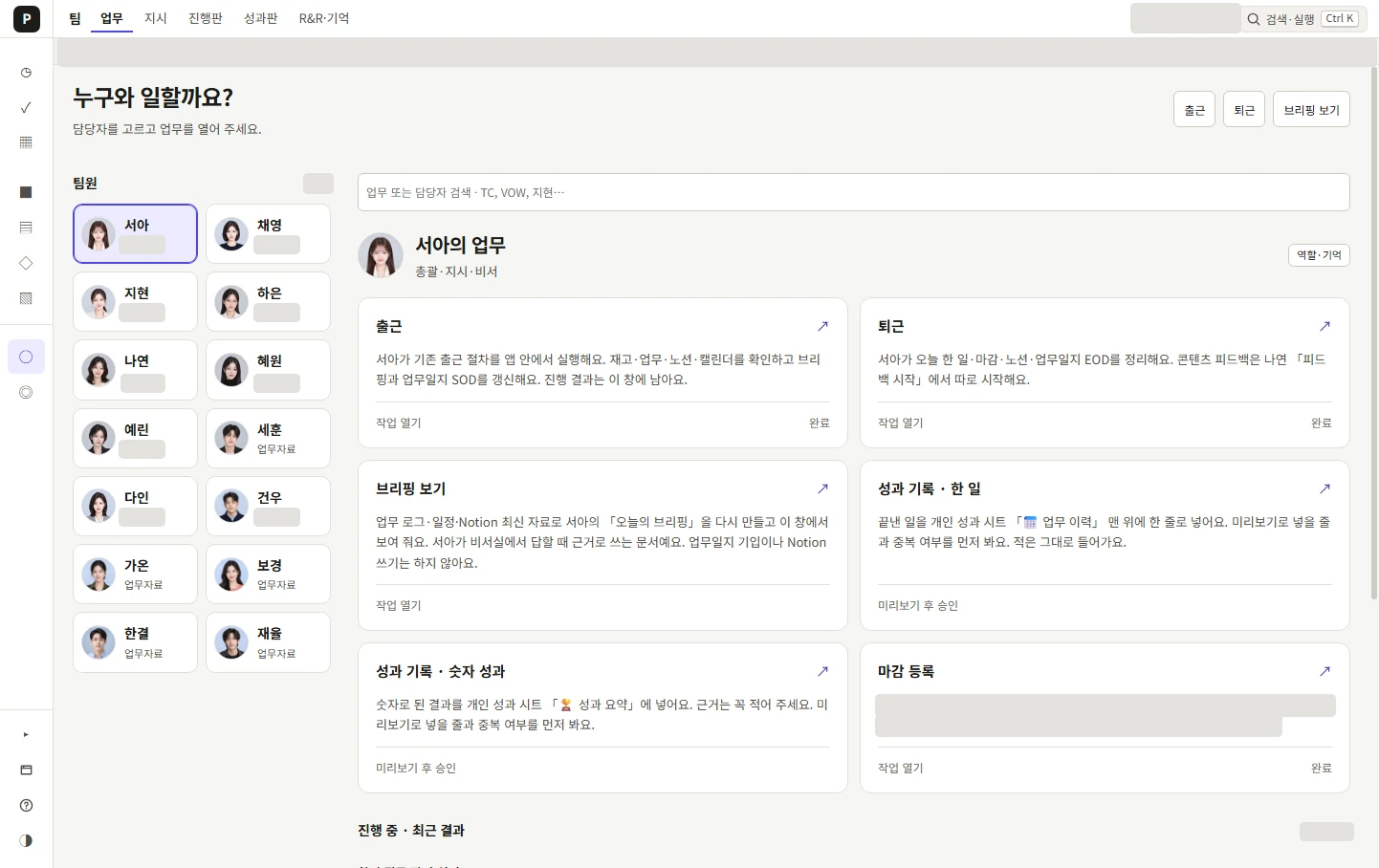
Select a role and run its tasks. Work, reporting and approval paths connect 14 AI roles.
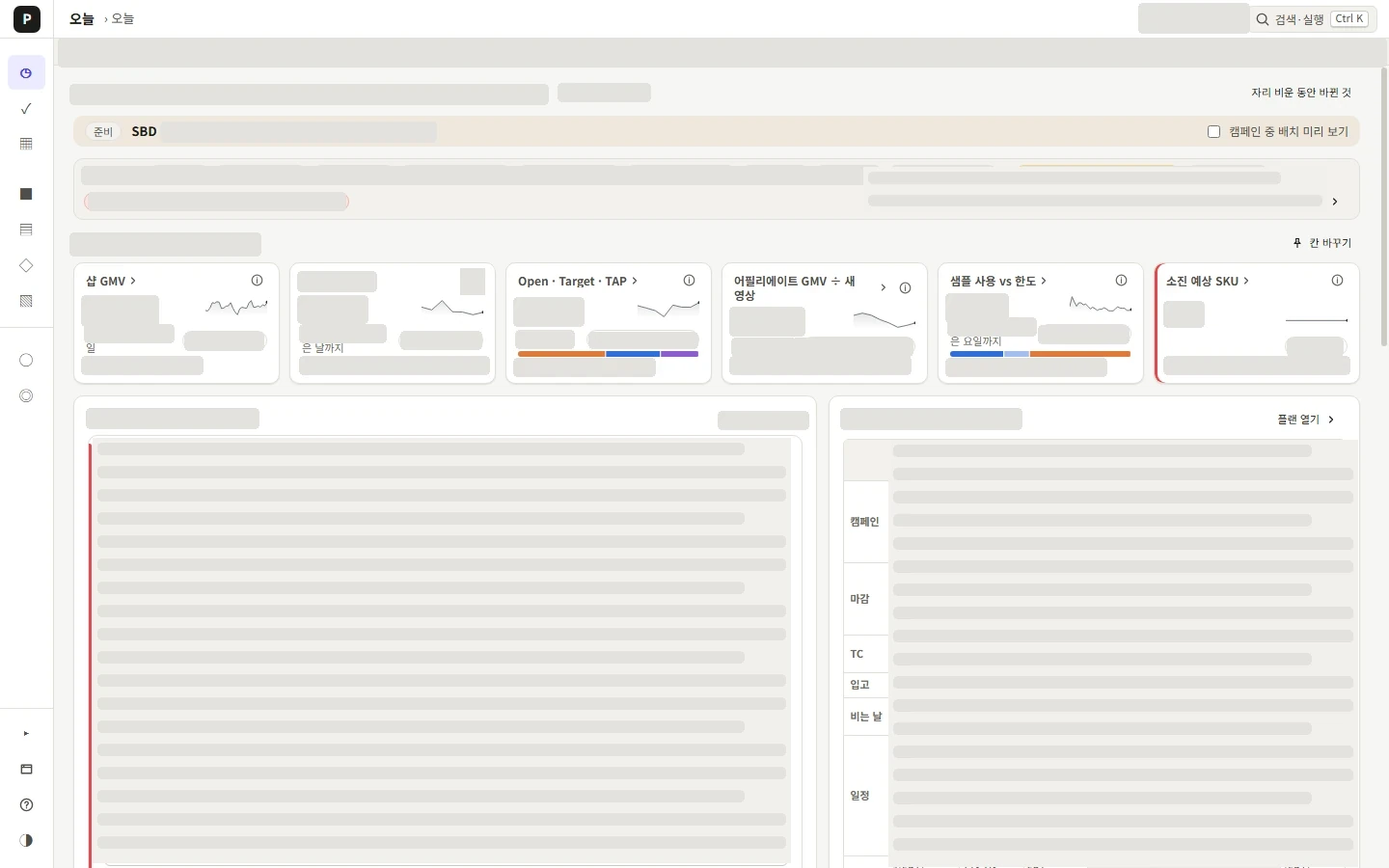
Review indicators, inventory, decisions and the weekly schedule together.
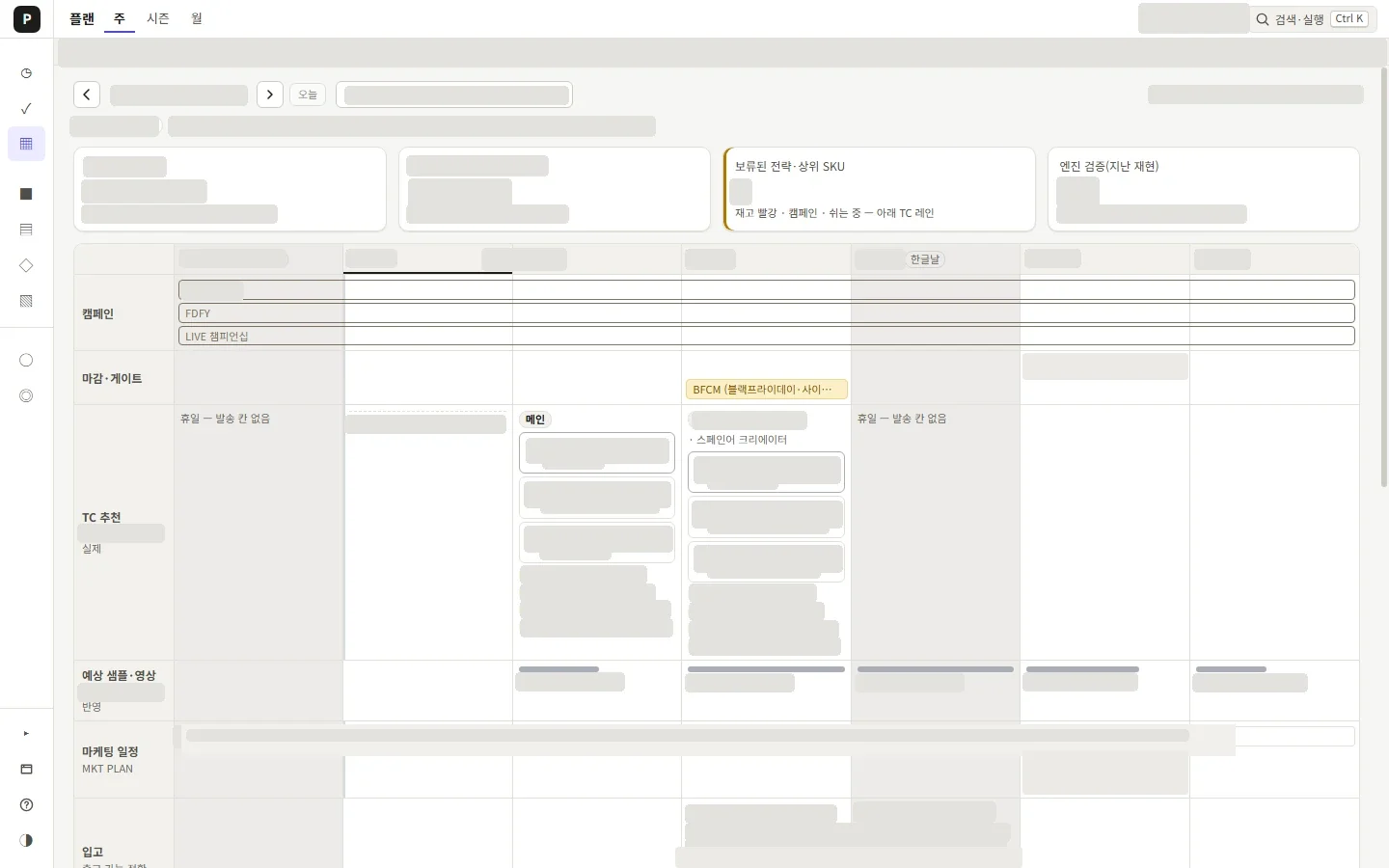
Review outreach recommendations alongside inventory and campaign plans.
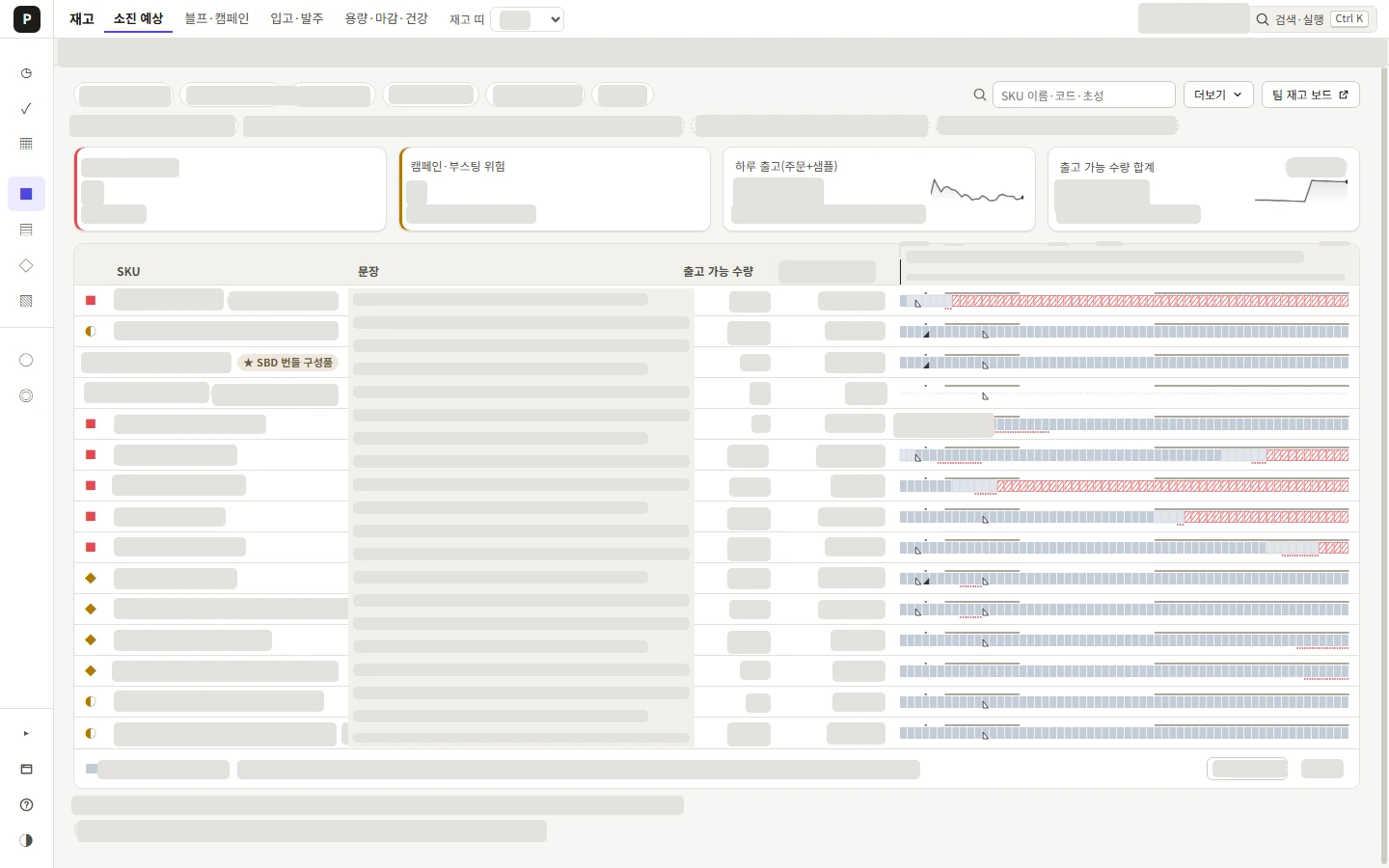
Compare depletion and inbound outlooks to identify risks and next actions.
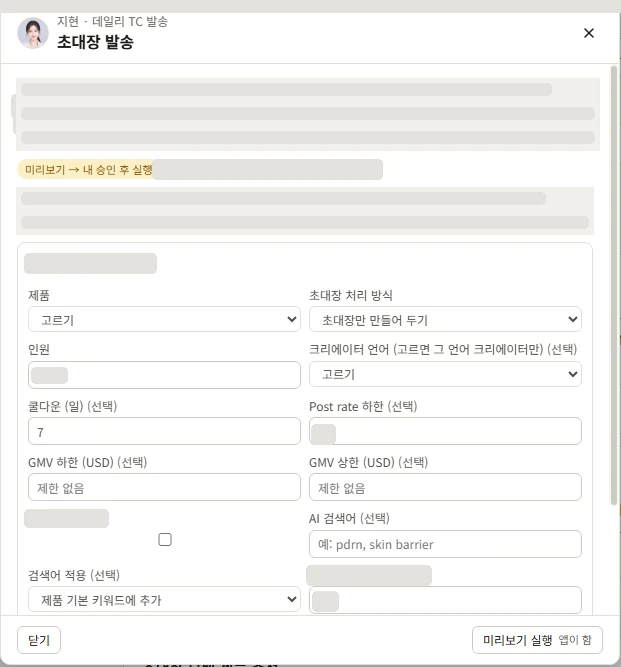
Set audience criteria and handling options, review the preview, then approve execution.
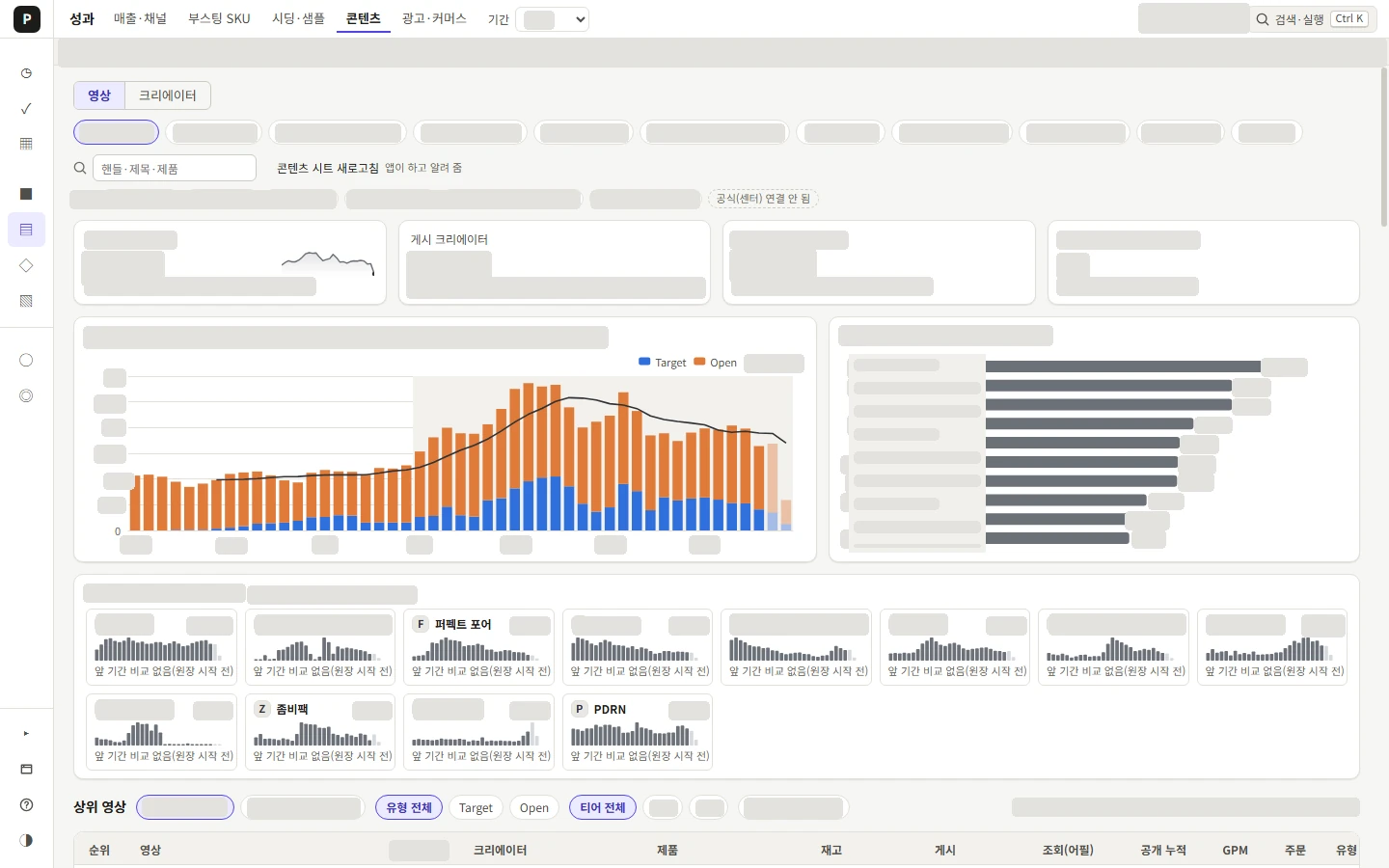
Compare video, creator and product trends in a shared workspace.
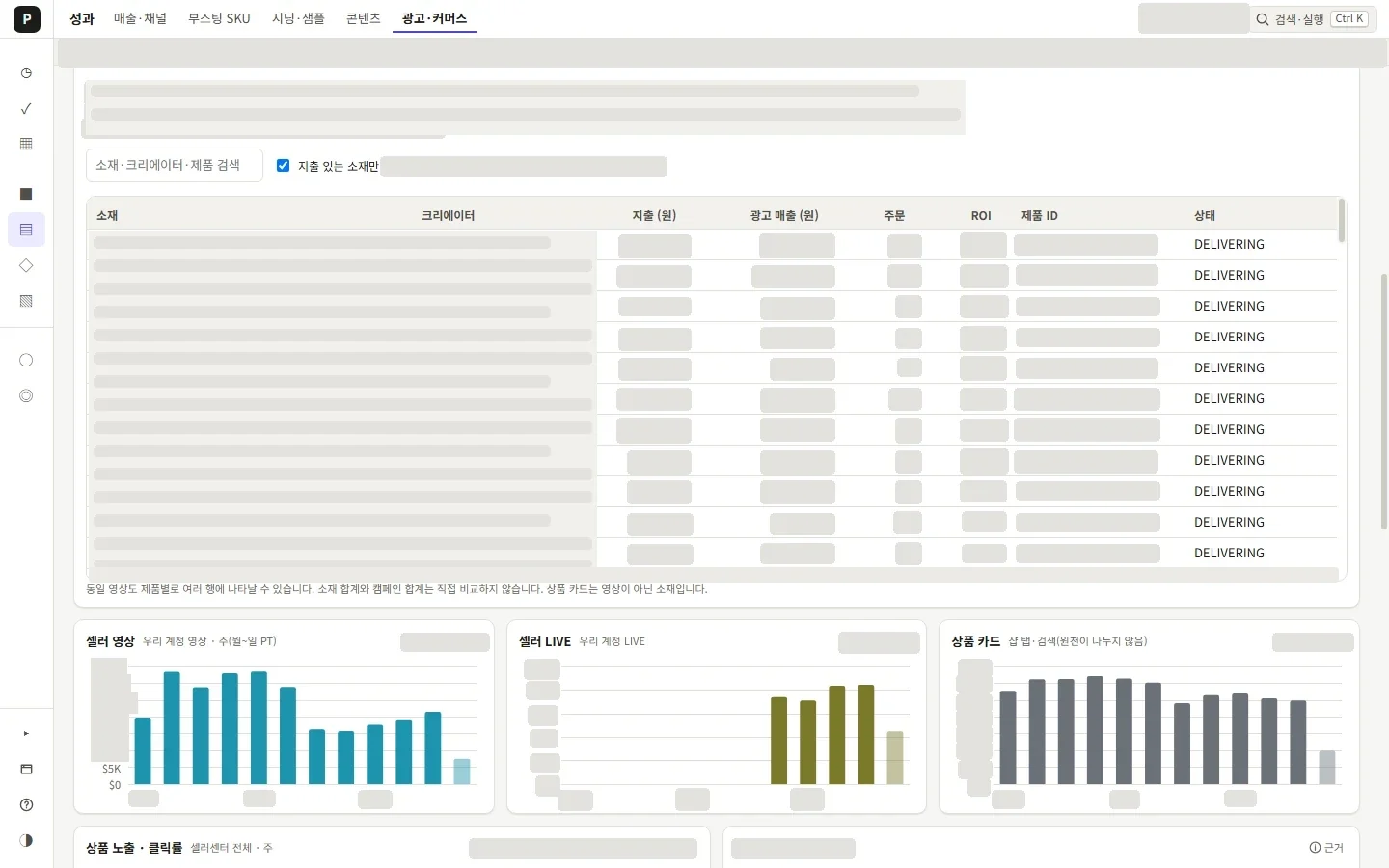
Inspect official advertising data by creative, spend, performance and status.
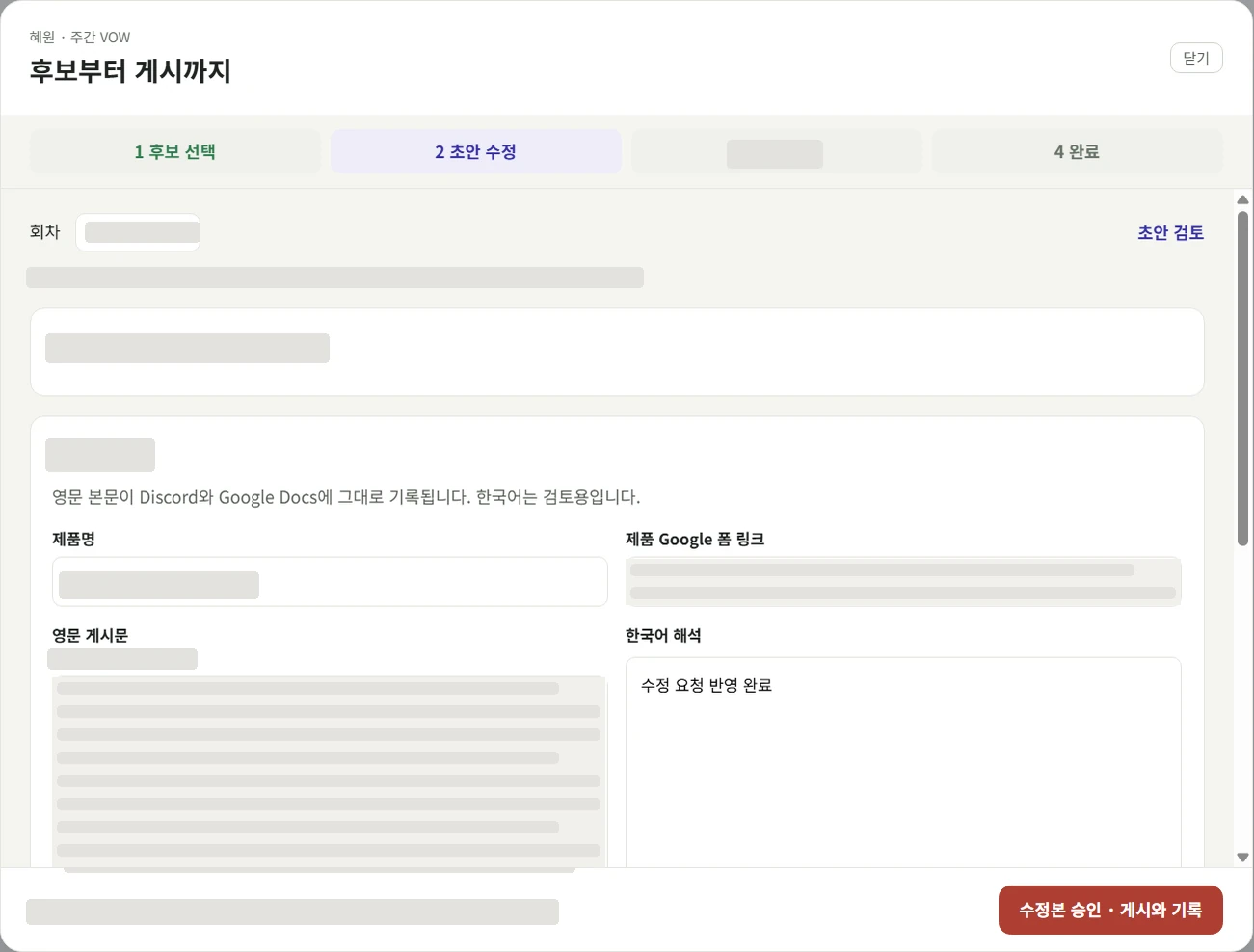
Move from candidate selection and draft edits to final approval, publishing and records.
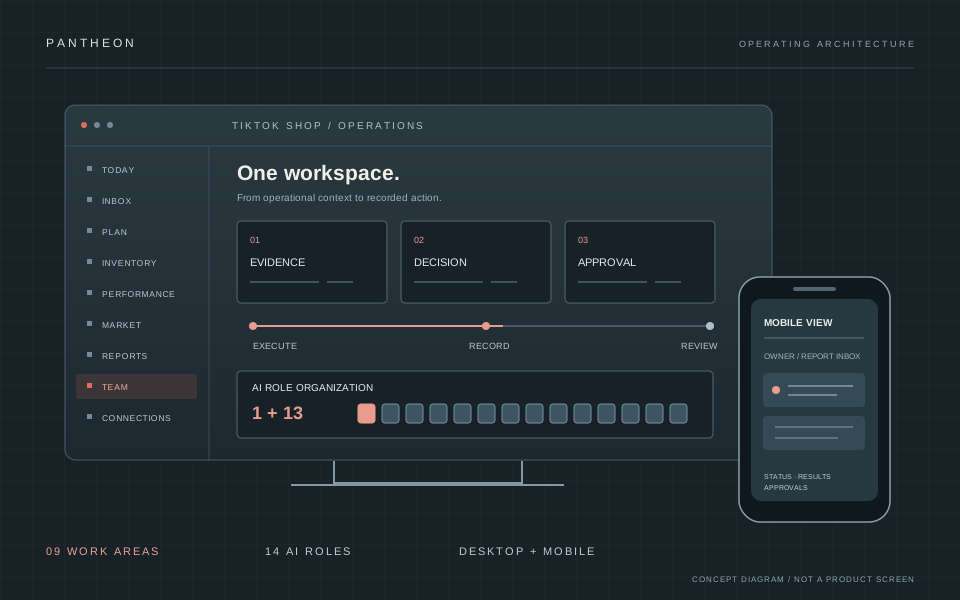
02 / THE WORKSPACE
I connected scripts and operating records through role assignments, task controls, approvals and reports. The workspace links the information needed for a decision to the action that follows.
A summary of metrics, inventory and role-level status to identify what needs attention.
Separate approvals, questions, execution results and tasks requiring a person.
Creator invitation recommendations, stock and campaign schedules across weekly, monthly and seasonal views.
Stock depletion, incoming supply, purchasing and shipment stages, plus warehouse capacity and supporting evidence.
Channel, product, video and creator analysis, sample funnels and official advertising data queries.
Competitor snapshots, ingredient and price comparisons, and creator overlap analysis.
Weekly, monthly and campaign packs, target tracking and forecasts compared with actuals.
Role-based tasks, schedules, reports, progress, responsibilities and memory.
Connection and login status, source reliability, error causes and suggested actions.
03 / FROM DECISION TO RECORD
Preview, approval and result tracking belong to the same workflow. Each flow distinguishes implemented code from evidence of actual operation.
Code and real runs following approval are recorded. By default invitations are only prepared; a person presses the final start. Sending stops if the verified copy file is missing, and past applicants are excluded by default. Some portal-originated registration and multi-campaign logging remain follow-up work.
Execution paths and inventory-history tab creation are documented.
Off-hours night and weekend batches are started from the app’s start button. AI judges only one step each time — the video review; lookup, sending and logging are repeated by code under the same rules. Reviews run inside a subscription session, so the review step adds no per-call cost. The share of all messages sent through the app was not counted separately.
VOW connects candidate selection, drafts, posting and records. Prior posting and recording history is also documented.
Content, calendar and sales updates connect to scheduled and app-triggered jobs, with dashboard update history.
Results, errors and pending approvals persist in the report inbox and can be viewed in the owner-only mobile app.
04 / ROLE-BASED OPERATIONS
One coordinator and 13 specialist roles connect organization settings, the app and operating data. Tasks are assigned to roles, with status and results flowing back into reports.
13 specialist roles
Collection, aggregation and defined procedures run through code and scheduled jobs.
Selected judgment paths use Claude and Codex for interpretation and drafting.
A person handles product selection, approval for external sends and posts, and direct login where required.
The organization groups code, scheduled jobs and selected AI judgment paths by role, with tasks and reports connected in the app.
05 / DESIGN × IMPLEMENTATION
I defined the work, the automation boundaries, the decision owners and the review criteria, then led implementation with AI.
Node.js · Vite · TanStack Query · Zustand · ECharts
PowerShell · Windows Task Scheduler · Claude CLI · Codex CLI
An owner-only web app syncing desktop status and results
Official TikTok Ads MCP integration is distinct from full TikTok Shop Open API integration.
06 / FAILURE → RULE
Problems found in operation were not left to human attention. They became rules in the app, so the next run stops or checks on its own.
After an invitation-card copy incident, sending now stops entirely when the verified copy file is missing.
A run re-invited creators who had already applied; excluding past applicants became the default.
A coordinate-based click once changed the wrong cell. Automation now targets elements directly and re-reads the record after writing to verify it.
When direct official-API access was blocked by account conditions, I switched to official-center exports and browser paths, and put per-source freshness at the top of every screen.
Screens state why data is missing — “ledger not started”, “official source not connected” — and purchase orders without invoices are not counted as inbound stock.
07 / OPERATING CHANGE
Instead of locating and running separate scripts, I can act through roles and tasks, with approvals and results in one workspace.
Distributed scripts connected to role assignments and task controls.
Completed work, errors and pending approvals kept in reports and the execution ledger.
Desktop status and results synced to an owner-only mobile web app.
Implementation scope is grounded in code, settings and operating records. Records support personal use and desktop/mobile deployment; adoption by other employees has not been quantified.
Internal paths, accounts and detailed business rules remain private.